Leave the watch at home.
Use Just record or Pace me with your iPhone. GPS provides pace, distance and route; heart rate is optional. You can run pace-guided sessions without a heart-rate monitor.
Phone · GPS · no watch required Fitness Curve
FOR IPHONE · BY STRATAIC
Your iPhone tracks your pace and speaks the guidance you choose. Add a Bluetooth heart-rate monitor when you want effort coaching and repeat fitness tests.
No watch required for pace coaching. Headphones make guidance easy to hear; speaker playback is also available.
A RUN, FROM START TO FINISH
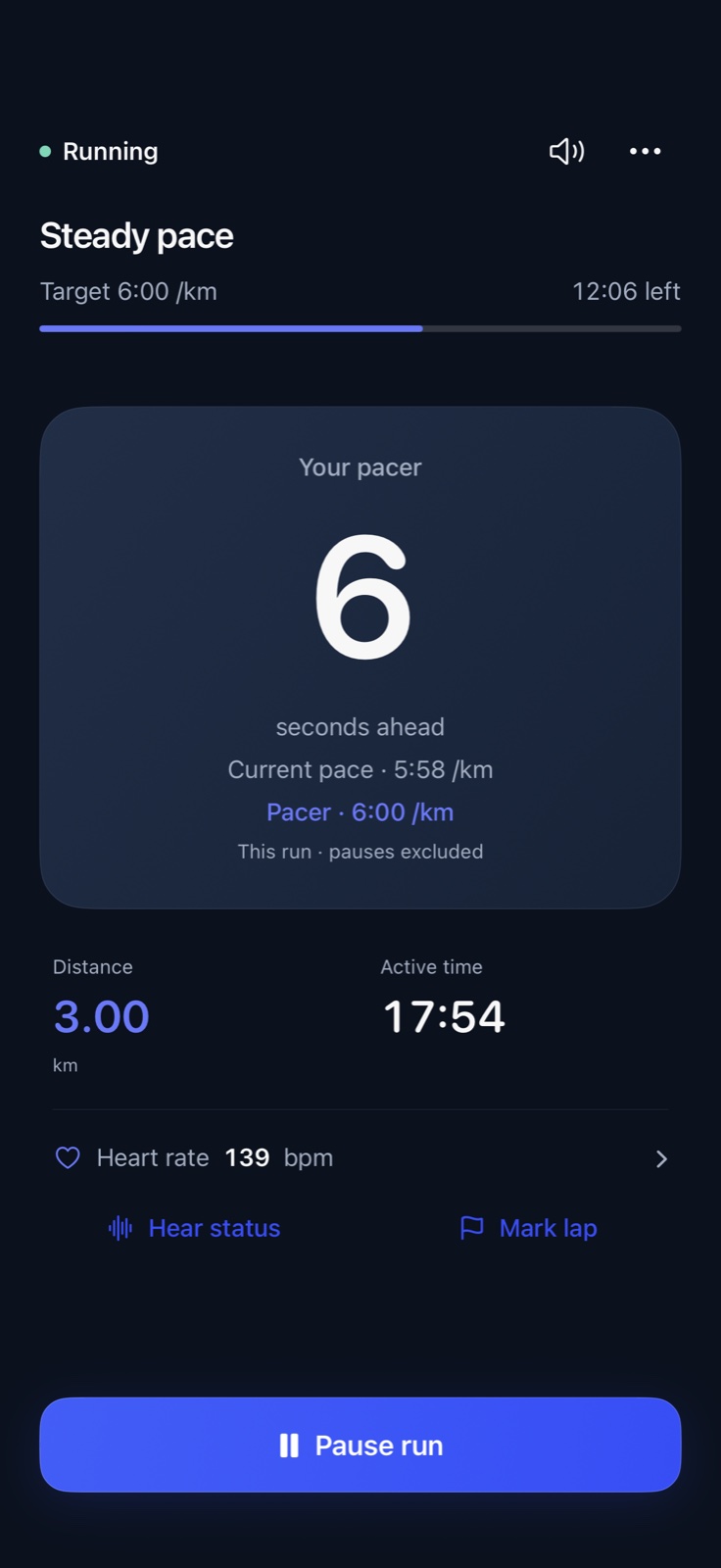
Go straight out, follow a session, or repeat a fitness test. Keep the essentials close and the detail ready when you need it.
Use Just record or Pace me with your iPhone. GPS provides pace, distance and route; heart rate is optional. You can run pace-guided sessions without a heart-rate monitor.
Phone · GPS · no watch requiredChoose what pace guidance says and how often. Connect a Bluetooth heart-rate monitor for HR targets and reports. Stage instructions take priority, while short cues briefly lower your music.
Spoken pace · optional heart rateReview charts and splits, save a route for next time, or repeat a workout and compare it with earlier attempts. Add effort, a feeling, notes or a photo to keep the numbers in context.
Your numbers + how it feltA FAMILIAR WAY TO GO
Keep favourite routes in your library and choose one for another run, workout or fitness test. Give it a name once, then rename or archive it when you need to.
For a fitness test, reuse your saved loop and targets, then confirm the direction and conditions. You can also record a test without saving a route; it stays in your history, outside the comparable trend.
How saved routes workRoutes help you organise and compare runs. They do not provide turn-by-turn directions.
COACHING WITH AN OFF SWITCH
Some runs need a little direction. Others need space. Start with a simple preset, then adjust each report independently.
See the voice controlsEXPLORE A SAMPLE SETUP
Heart-rate reports appear when a compatible Bluetooth monitor is connected. No audio plays on this page.
PROGRESS WITH CONTEXT
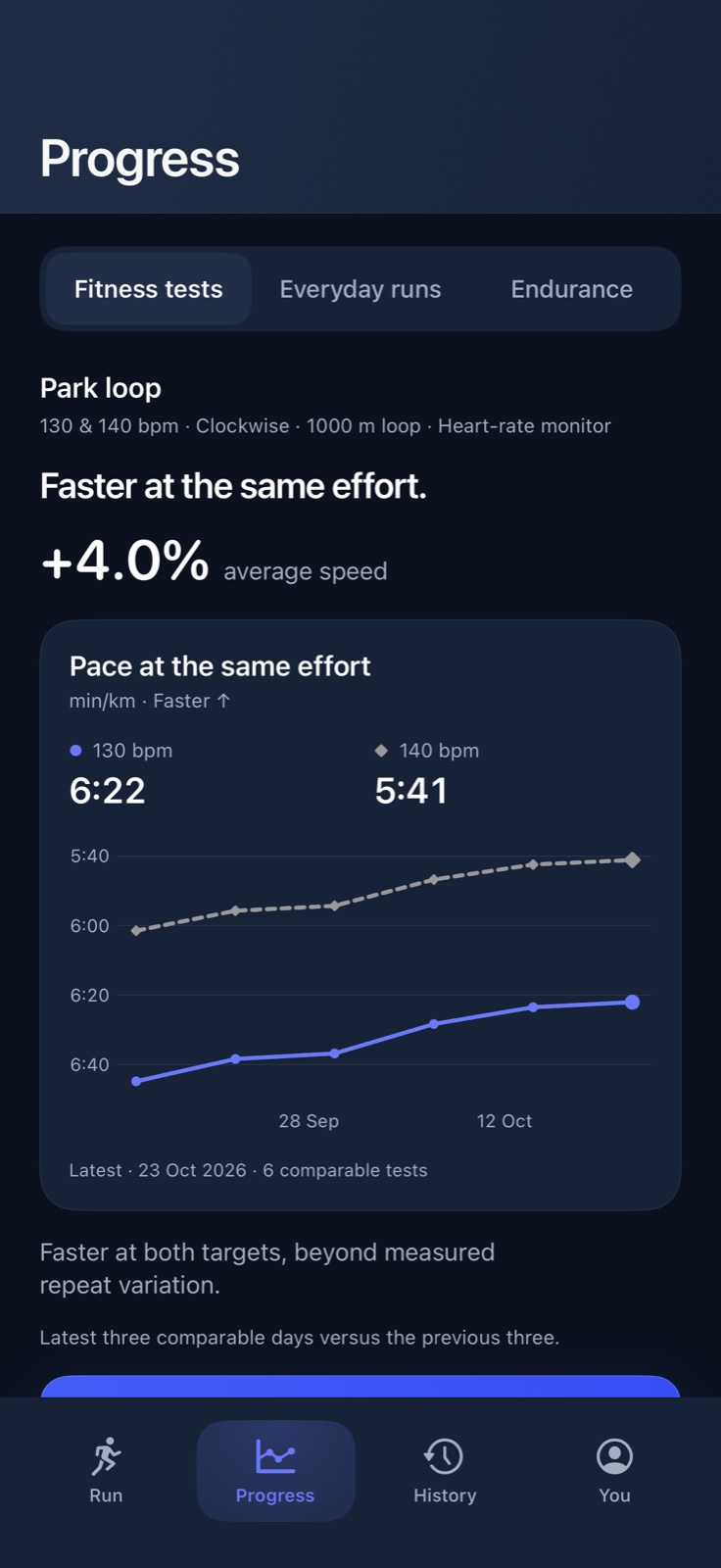
Repeat two steady efforts on a familiar loop. Fitness Curve compares the pace you sustain at each heart-rate target.
Example readings only. The +4% shown in the app screen is illustrative, not a predicted or promised result.
The test requires a Bluetooth heart-rate monitor; it cannot use live Apple Watch heart rate. Six comparable test days across at least two weeks support a change assessment.
A field estimate, not a lab test, diagnosis or VO₂max prediction. Repeatability still needs validation in real-world use.
FITS INTO YOUR RUNNING
Save a workout copy and, with separate permission, read your running history.
OptionalOptional for ordinary pace runs. Required for live HR targets and the repeatable HR fitness test. Compatible chest straps and arm bands connect to the iPhone.
Optional hardwareSave a FIT file, upload it on Strava, then add your title, description and photo there.
Manual exportAsk to pause, resume, hear status or move to the next interval. Guidance mixes with your music.
Your iPhoneNo watch is required. This iPhone app has no Apple Watch companion and cannot use a watch for live heart rate. Completed Watch workouts may be imported through Apple Health for history.
BUILT BY STRATAIC
Have a question, an idea, or feedback from a run? We would like to hear it.
Get in touch